How AI agents are already working on our Webflow websites
At KLIMB, the Webflow MCP enables our integrators to connect Claude directly to Webflow to automate high-volume tasks (migrations, CMS collections, bulk edits) whilst retaining full human control over what is published.

Key takeaways
Based on the account of the Webflow expert at KLIMB.
Data provided by KLIMB
Several hundred
articles marked within a few minutes
A few minutes
for corrections that used to take several hours of clicking
3 project phases
automated: components, CMS collections, content migration
Part 01 · Context Setting
Could you introduce yourself and explain in simple terms what Webflow MCP is?
I’m Anthony Pétremant, a Website Engineer at KLIMB. My main responsibilities include integrating Figma mock-ups into Webflow: managing and implementing the site’s architecture, migrations, technical SEO, and, increasingly, how we integrate AI into our production workflow.
The MCP is a connector that links AI tools such as Claude to other tools like Webflow. It acts as a bridge between the two, enabling the AI to read and interact directly without any assistance from us, apart from giving it instructions and the necessary permissions.
Part 02 · Introduction and set-up
How did you discover and implement Webflow MCP on your projects?
We were already using Claude on a daily basis to debug code, without the MCP. It was only once Webflow announced this tool that I was able to start testing it. What really won me over was when the MCP was able to interact seamlessly with the CMS collections and components, whilst adhering to the design system already in place on the site. From that point on, it was no longer just a gimmick but a proper production tool.
Technically, setting it up is quick: you connect Claude to Webflow via the MCP and grant permissions on a site-by-site basis. The real work lies in what we’ve built around it: playbooks that explain our integration conventions to the agent, and a context file specific to each client.
"A good example is the migration of the TRESO2 website. We exported several hundred articles, each of which contained dozens of external links that needed to be updated for SEO purposes. Doing this manually would have taken days, with a real risk of missing some. Using the MCP, the agent went through all the articles in a matter of minutes, ensuring everything was done properly."
Part 03 · What’s changing in our day-to-day lives
What sort of tasks do you use Webflow MCP for, and how has it changed the way you work?
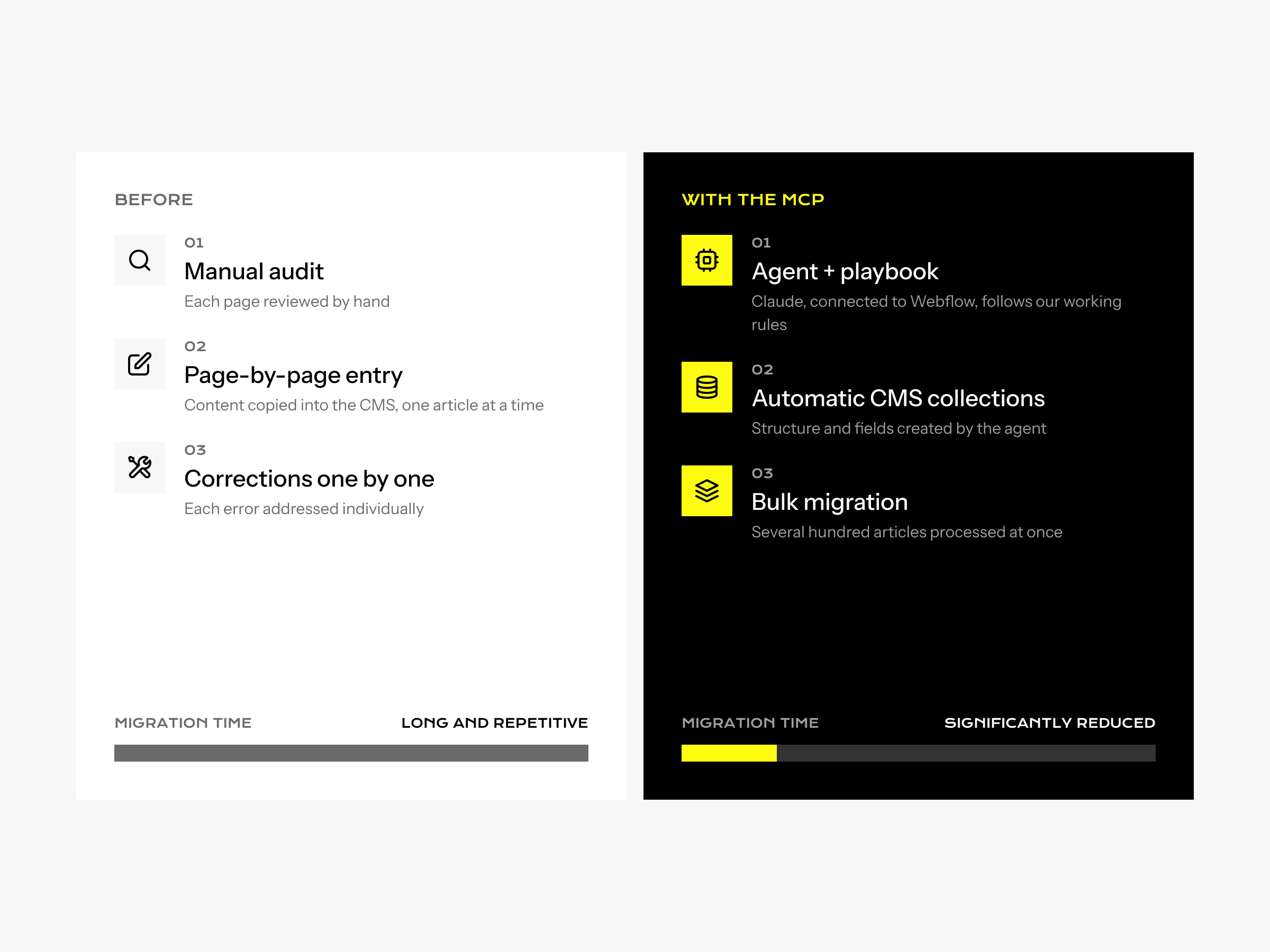
We mainly use it in three key phases: implementing Figma components in Webflow, creating CMS collections, and migrating content. That’s where we save the most time.
Before, a large part of my time was spent on the execution side: creating fields, entering content, and correcting things page by page. Now, I spend much more time at the start, structuring the project, and then later on, checking and fine-tuning. The agent handles the volume and the repetitive tasks, whilst I focus on what requires a critical eye.
Part 04 · Time savings
What savings in time or improvements in efficiency have you noticed?
It’s difficult to give a precise figure, because it depends very much on the projects. But the benefit is very clear on all high-volume tasks: bulk corrections, such as adding or amending a field across hundreds of pages, have gone from taking several hours of clicking to just a few minutes.
The real benefit isn’t just the time saved on execution: it’s the reliability. An agent that always applies the same rules doesn’t get tired and doesn’t miss one line in every 300. That’s what makes all the difference when it comes to high-volume tasks.
Part 05 · Governance and trust
How do you manage what an AI agent is allowed to do, and how do you reassure your customers?
Thanks to our playbooks, which provide a framework for all an agent’s work: not just what to do, but how to do it and what they mustn’t touch. The basic rule is that nothing is published without human approval: we work on the staging environment, check it, and then publish it ourselves.
We’re transparent with our clients: AI is a production tool, like Figma or Webflow, not someone who makes decisions for us. For the client, nothing changes in terms of standards: they get the same result, but faster and with fewer errors.
Part 06 · What about tomorrow?
What advice would you give to an agency considering using the Webflow MCP, and how do you see things developing from here?
Document your processes and turn them into instructions for your agent, because AI cannot guess your methods: without a clear framework, it will improvise.
I think agents will increasingly take charge of the execution. The role of the integrator will shift: less execution, more time spent structuring projects, managing the work, and optimising SEO, monitoring or events.
Are you preparing the same migration?
We start with an audit of your current site: URLs, content, design system, and performance. You will leave with a plan, even if you don’t work with us.